 Buckets
Share a bucket
Send every picture in a bucket at once.
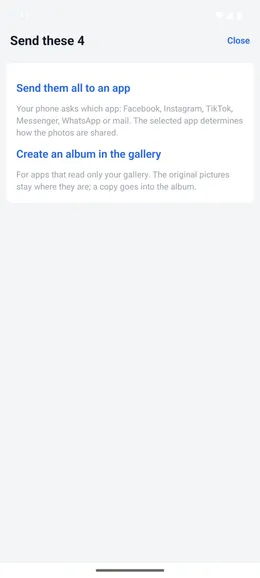
Send bucket photos to another app
Menu ☰ → Buckets → the bucket → ☰ → Send photos
- Tap “Send them all to an app”. The phone’s share options open.
- Choose Facebook, Instagram, TikTok, Messenger, WhatsApp or mail. The selected app determines the result.
- Some apps accept only a few pictures at a time. Send the rest separately.
- Your photos are not moved or changed.
Create a gallery album from a bucket
Menu ☰ → Buckets → the bucket → ☰ → Send photos
- Tap “Create an album in the gallery” and name the album.
- Pick “Copy them into the album” to leave the photos where they are, or “Move them into the album” to take them out of their current folder.
- Instagram, Messenger and LINE show gallery albums when they ask you to pick photos.
- The album is created once. Create it again later to include new photos added to the bucket.